MARKETSCREENS
PhotosManualFAQCompare
MarketScreens — three-screen desktop stock display
17.75 inch
4.40 inch

YOUR WHOLE WATCHLIST.
ALWAYS IN VIEW.

Seconds/chart
3s

Looks like a terminal. Behaves like a clock.

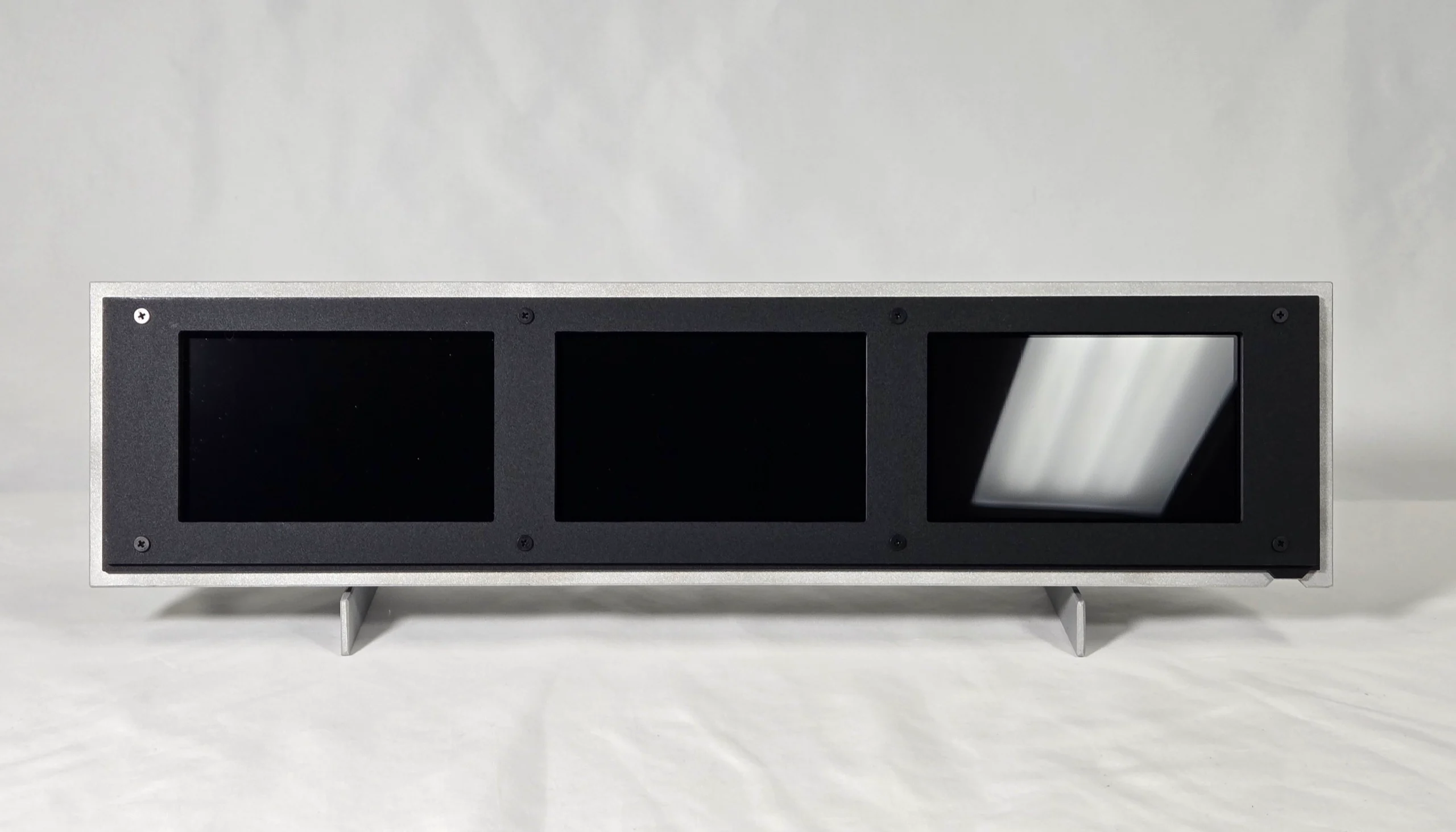
MarketScreens is advanced decor that brings market visibility to any surface in your home or workspace: three screens showing live market data, always on. It is the most information-dense passive market display there is, in sandblasted aluminum and velvet-matte acrylic, assembled by hand.

The center screen holds a live table of up to thirty tickers across two lists: price, daily and average change, volume, range position, volatility, and oversold/overbought scores. It covers stocks, ETFs, indices, futures, commodities, crypto, forex, mutual funds, and treasury yields. The two side screens cycle through your lists one ticker at a time, each as a full live chart with moving averages, VWAP, Bollinger Bands, and volume.

It connects to your WiFi, you pick your tickers on its settings page, and it runs: no app, no subscription. Always on, at a glance, like a clock.

Reserve a unitRead the manual
ANATOMY
Fig. 1 · Chart screen

Your tickers, shown live

A live replica of the left screen, running real market data on a photograph of a production unit. Scroll, and the callouts label what you’re looking at.

CHART SCREEN DOCS
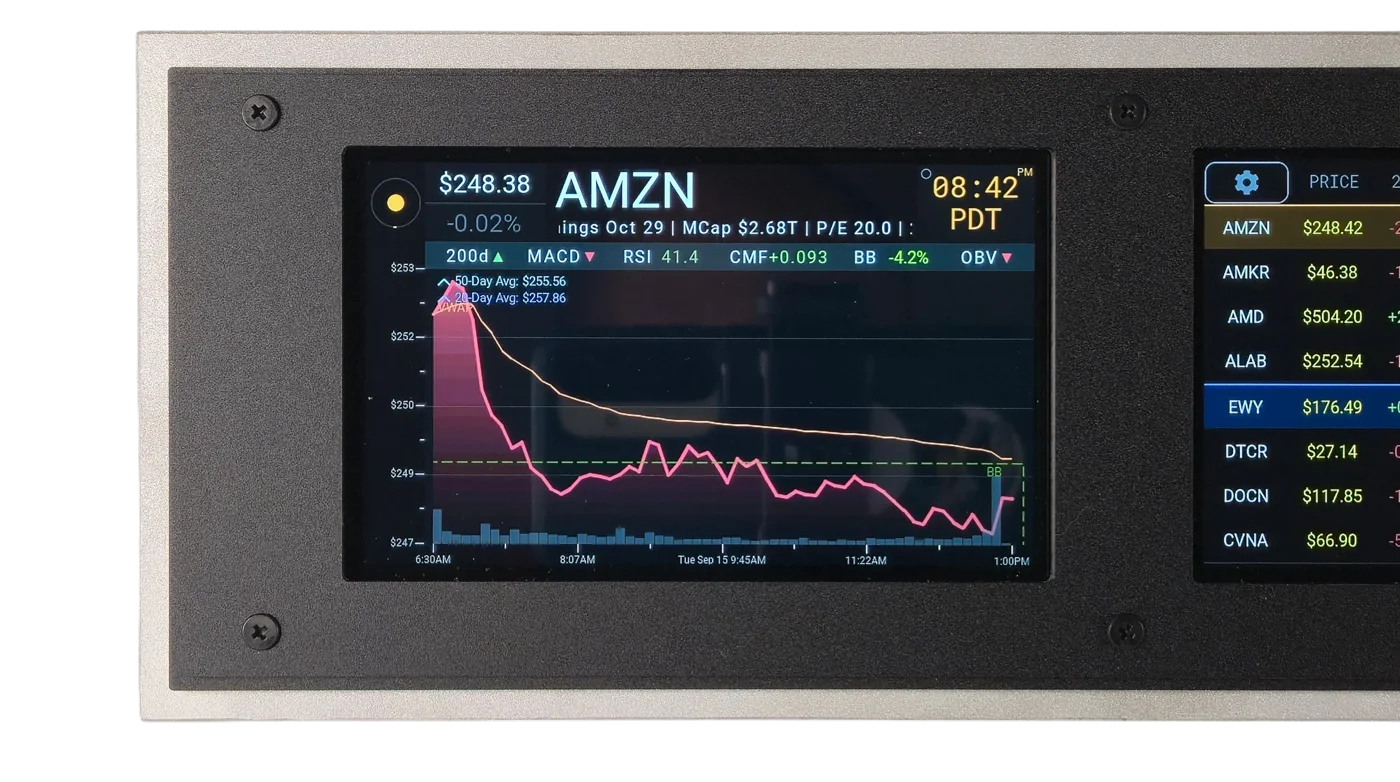
MarketScreens chart screen — closeup, live data
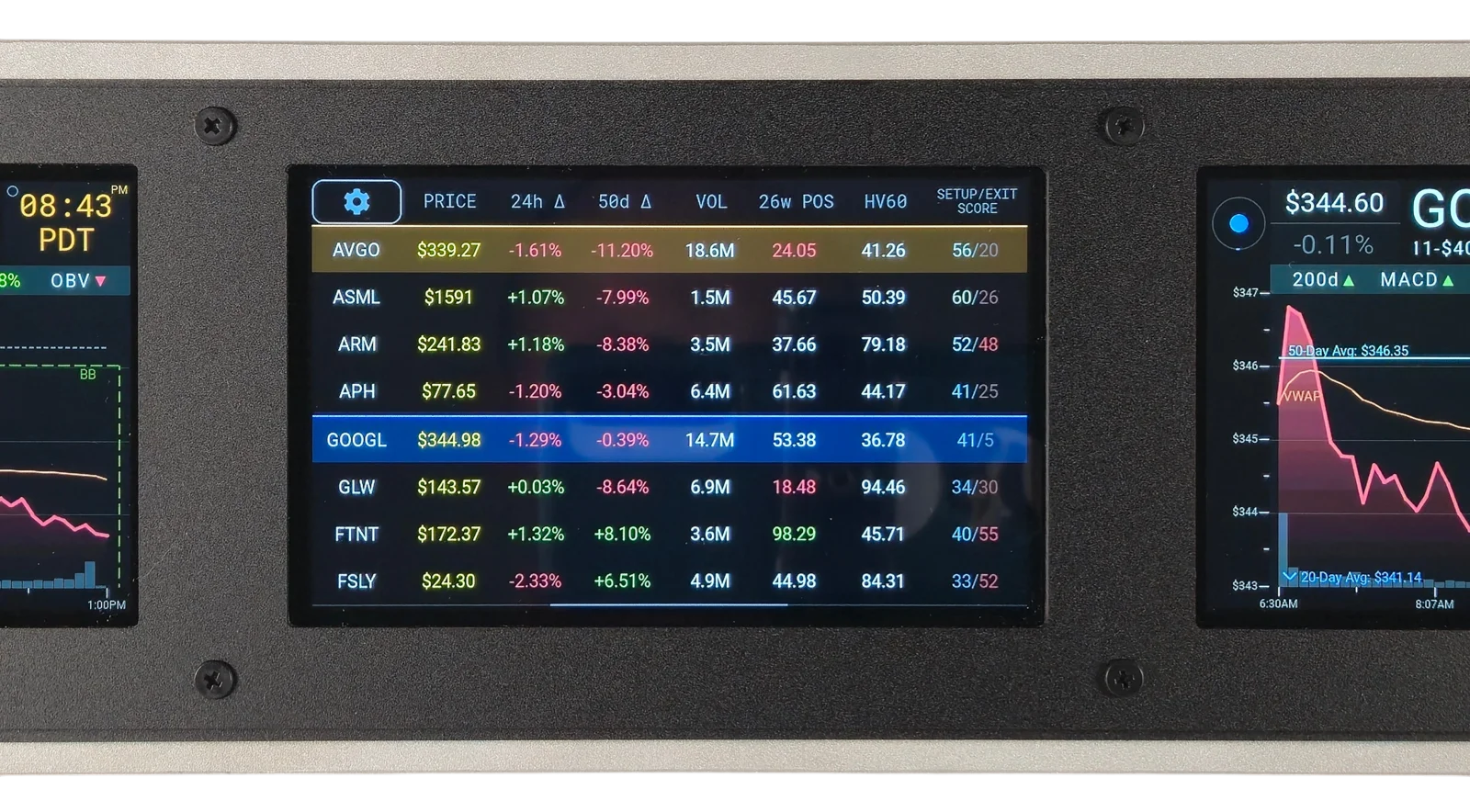
The DataScreen — live ticker table

Every ticker, one table

A live replica of the center screen, running real market data. The full table: prices, daily and average change, volume, range position, volatility, and the entry/exit score, for both lists at once.

DATASCREEN DOCS
Fig. 2 · The DataScreen
STOCKS · ETFS · CRYPTO · FUTURES · FOREIGN EXCHANGE · COMMODITIES · MUTUAL FUNDS · INDICES · TREASURY YIELDS · STOCKS · ETFS · CRYPTO · FUTURES · FOREIGN EXCHANGE · COMMODITIES · MUTUAL FUNDS · INDICES · TREASURY YIELDS · STOCKS · ETFS · CRYPTO · FUTURES · FOREIGN EXCHANGE · COMMODITIES · MUTUAL FUNDS · INDICES · TREASURY YIELDS · STOCKS · ETFS · CRYPTO · FUTURES · FOREIGN EXCHANGE · COMMODITIES · MUTUAL FUNDS · INDICES · TREASURY YIELDS · STOCKS · ETFS · CRYPTO · FUTURES · FOREIGN EXCHANGE · COMMODITIES · MUTUAL FUNDS · INDICES · TREASURY YIELDS · STOCKS · ETFS · CRYPTO · FUTURES · FOREIGN EXCHANGE · COMMODITIES · MUTUAL FUNDS · INDICES · TREASURY YIELDS · STOCKS · ETFS · CRYPTO · FUTURES · FOREIGN EXCHANGE · COMMODITIES · MUTUAL FUNDS · INDICES · TREASURY YIELDS · STOCKS · ETFS · CRYPTO · FUTURES · FOREIGN EXCHANGE · COMMODITIES · MUTUAL FUNDS · INDICES · TREASURY YIELDS ·
CONTROLS

The list controls

Five buttons on the Settings page manage every list. Tap one:
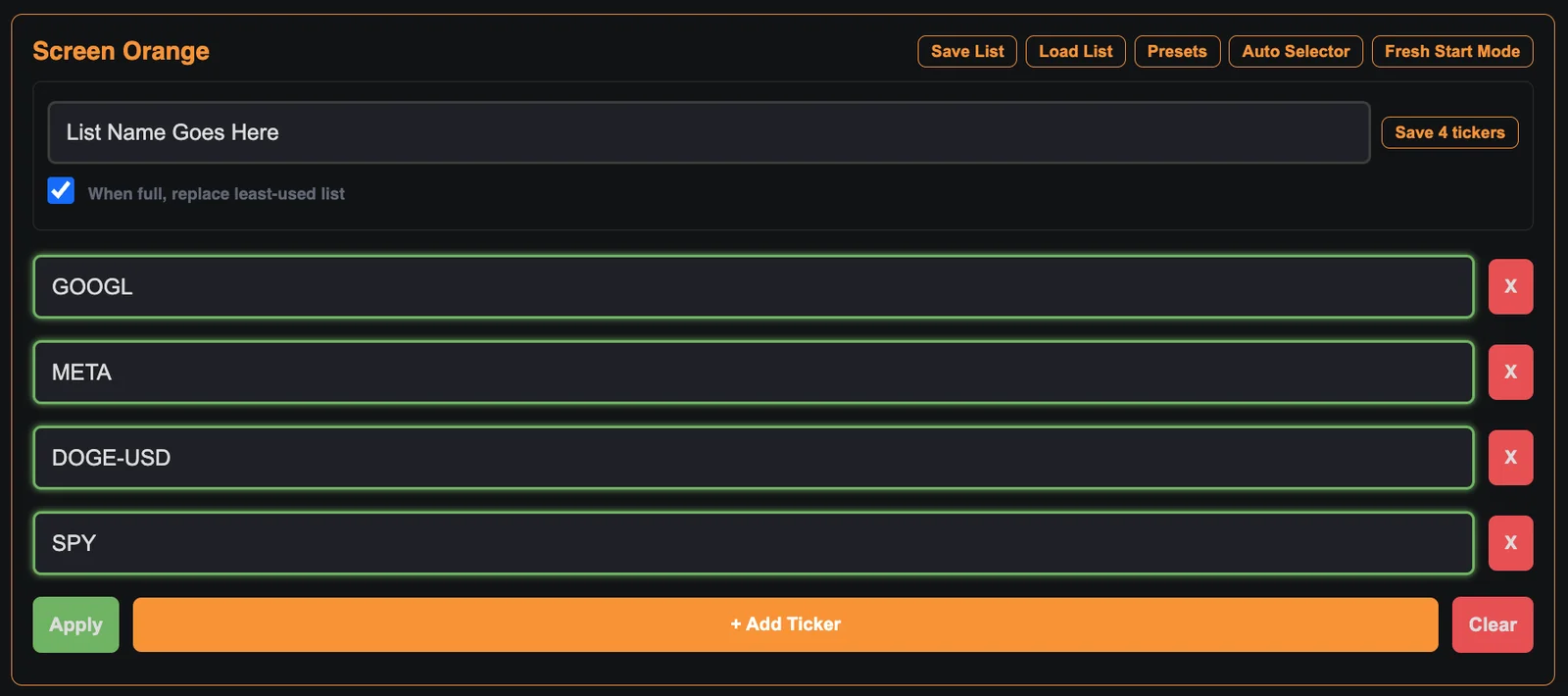
Save List panel
Name this screen’s current tickers and shelve them for later.
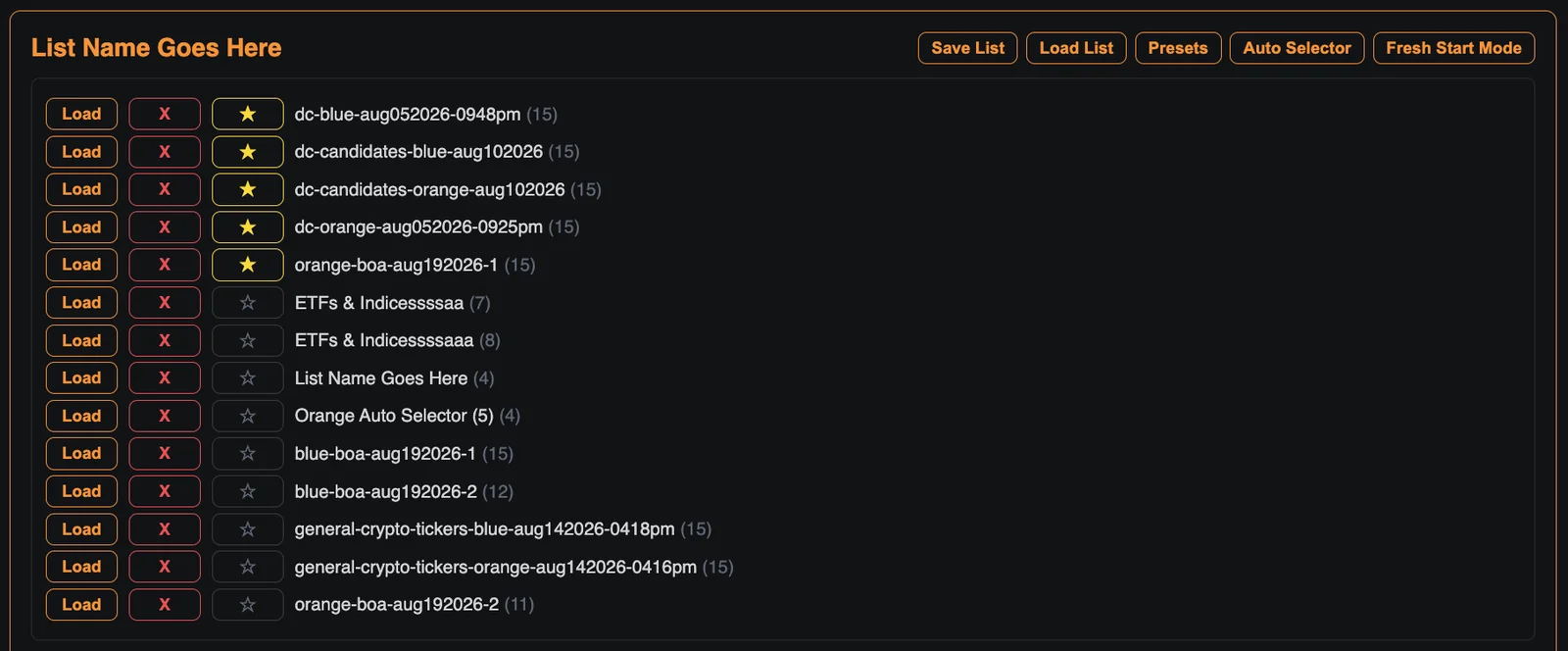
Load List panel
Bring back any saved list — load it, delete it, or star a favorite.
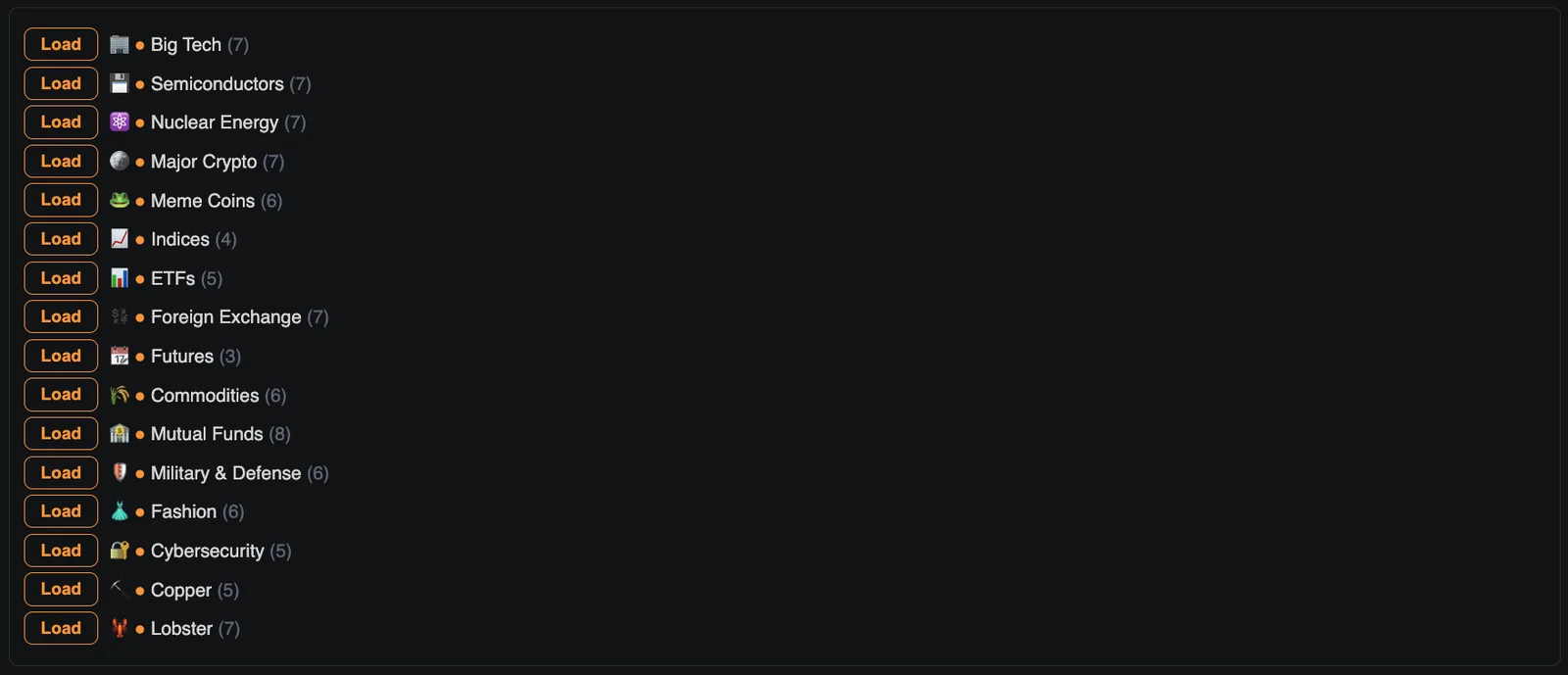
Presets panel
Curated starter lists — from Big Tech to Copper to Lobster.
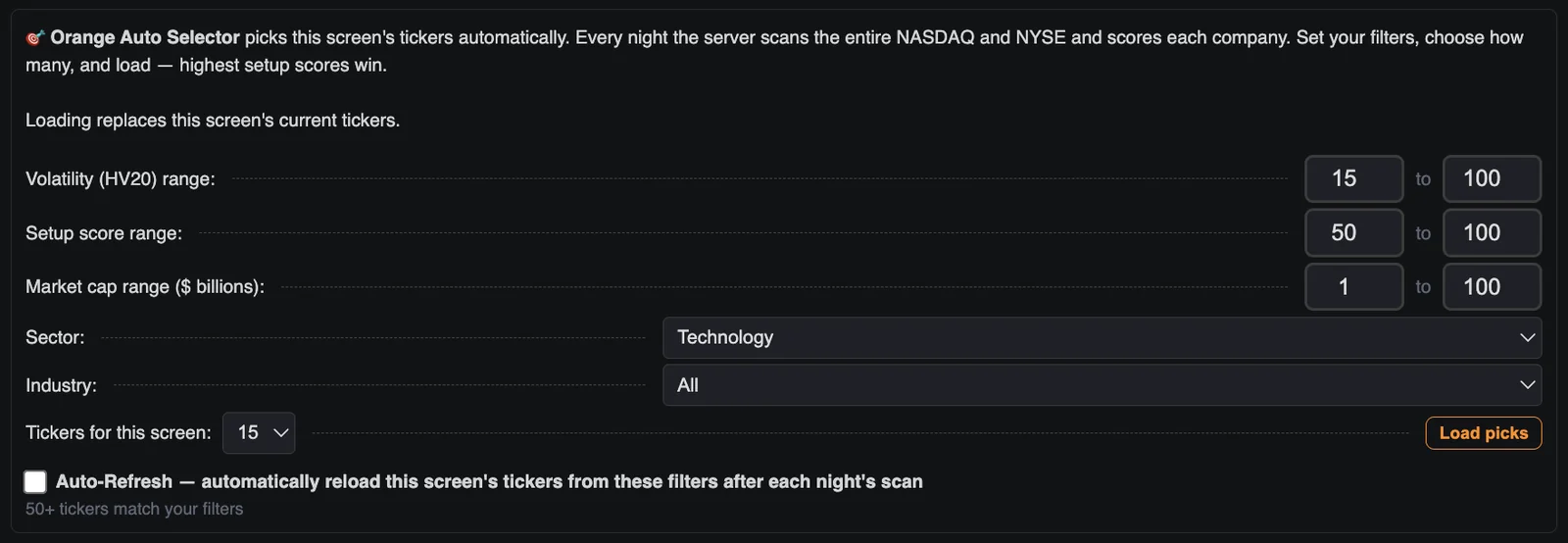
Auto Selector panel
Filter the nightly full-market scan and load the top-scoring picks.
Fresh Start Mode panel
Clears this screen’s list at midnight — a clean slate each trading day.

Playlist Mode

Rotate the screens through a sequence of list pairs. Each step pairs an orange list with a blue list and holds for the number of rotations you choose.
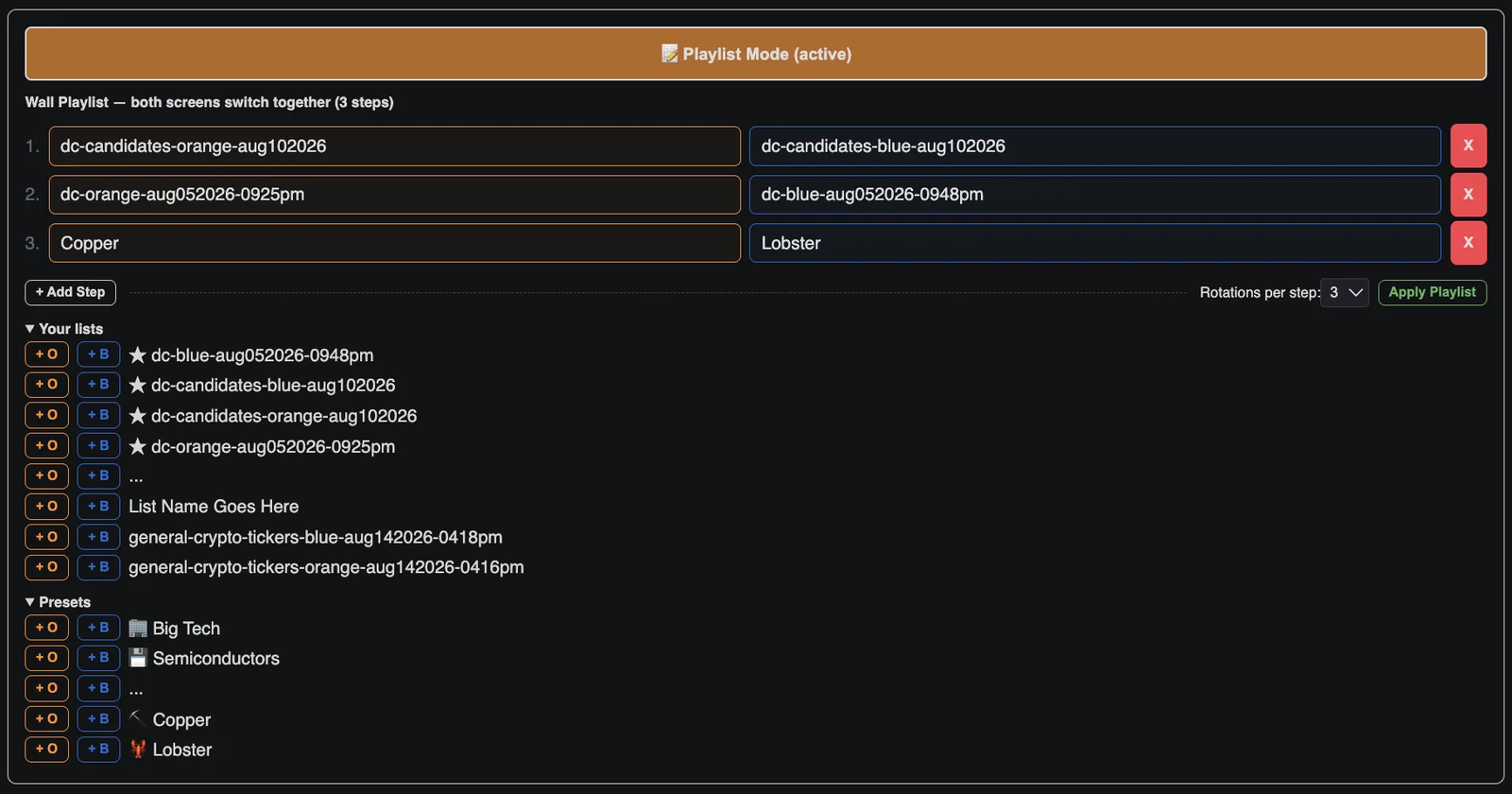
Playlist Mode panel
A thin bar along the bottom of the DataScreen tracks which step is live.
NO APP TO OPEN · NO SUBSCRIPTION · ALWAYS ON · UPDATES OVER THE AIR · NO APP TO OPEN · NO SUBSCRIPTION · ALWAYS ON · UPDATES OVER THE AIR · NO APP TO OPEN · NO SUBSCRIPTION · ALWAYS ON · UPDATES OVER THE AIR · NO APP TO OPEN · NO SUBSCRIPTION · ALWAYS ON · UPDATES OVER THE AIR · NO APP TO OPEN · NO SUBSCRIPTION · ALWAYS ON · UPDATES OVER THE AIR · NO APP TO OPEN · NO SUBSCRIPTION · ALWAYS ON · UPDATES OVER THE AIR · NO APP TO OPEN · NO SUBSCRIPTION · ALWAYS ON · UPDATES OVER THE AIR · NO APP TO OPEN · NO SUBSCRIPTION · ALWAYS ON · UPDATES OVER THE AIR · NO APP TO OPEN · NO SUBSCRIPTION · ALWAYS ON · UPDATES OVER THE AIR · NO APP TO OPEN · NO SUBSCRIPTION · ALWAYS ON · UPDATES OVER THE AIR ·
LEGS

Sandblasted aluminum

Legs and frame are made from solid aluminum, laser cut, and sandblasted to a matte finish.

LED INDICATOR

One USB-C port

Powered over USB-C — no battery, nothing to charge, always on. A threaded cord is included in the box.

DURABILITY

External antenna

The WiFi antenna lives outside the case, for reliable signal strength and a stable connection wherever the screens sit.

RESERVE A UNIT
FEATURES

Every feature

The complete list: everything MarketScreens does today.

The Screens

  • Center DataScreen: rotating table of up to 30 tickers across two lists
  • Two chart screens, each running its own list
  • Tap to pause; step a ticker forward or back
  • Adjustable seconds-per-ticker rotation, screens in sync
  • Market-hours indicator on every screen

Charts & Indicators

  • Live intraday chart with previous-close baseline
  • VWAP + two moving averages (second one selectable)
  • Bollinger Bands and volume bars
  • RSI · MACD · CMF · BB% · OBV strip
  • 0–100 Entry & Exit scores from five standard indicators
  • Range position & historical volatility, windows selectable
  • Market cap, 4-week range, next earnings date

Lists & Curation

  • Edit both lists from your phone; changes apply live
  • Save, load, star, and delete named lists
  • Curated presets, Big Tech to Copper to Lobster
  • Auto Selector: nightly full NASDAQ + NYSE scan with volatility, score, market-cap, sector & industry filters
  • Auto-Refresh reloads your filters’ picks each morning
  • Playlist Mode: chain whole lists into one rotation
  • Fresh Start Mode: clean slate at midnight

Market Coverage

  • Stocks, ETFs, indices, futures, commodities, crypto, forex, mutual funds, treasury yields
  • Crypto tracked 7 days a week
  • Live pre-market & after-hours prices on the chart screens
  • NYSE holidays & early closes handled automatically

Data & Timing

  • Quotes update continuously, 1–3 minutes behind the market: a monitor, not a trading terminal
  • Automatic timezone detection; 12/24-hour clock
  • Nightly full-market scan powers the Auto Selector

The Device

  • WiFi setup from your phone; settings page hosted on the device
  • Over-the-air firmware updates, one tap for all three screens
  • Self-healing WiFi and automatic recovery
  • External antenna; powered by USB-C; meant to stay always on

It shows you the market.

That’s all.

COMPARISON

MarketScreens vs. the ticker boxes

Full comparison, including Tickrmeter and Fintic →

LED ticker boxMarketScreens
Tickers tracked at once1Up to 30 across two lists · unlimited via Playlist Mode
Live intraday charts—2 screens, full overlays
Volume, volatility, range position—Every ticker, every row
Oversold / overbought scoring—0–100, all day
Finds new ticker opportunities—Nightly full-market scan
Asset classesStocks, cryptoStocks · ETFs · indices · futures · commodities · crypto · forex · funds · yields

Configured from your phone or web browser. Updates itself over the air. No subscription required to keep what it shows.

RESERVE

Handcrafted in small batches

MarketScreens is programmed, built, tested, and shipped by Daniel CopperClaw. Every unit runs continuously for days before it ships.

Send opens your mail app. No mail app? Send in Gmail · Copy message

Early units are limited; write us to reserve one.